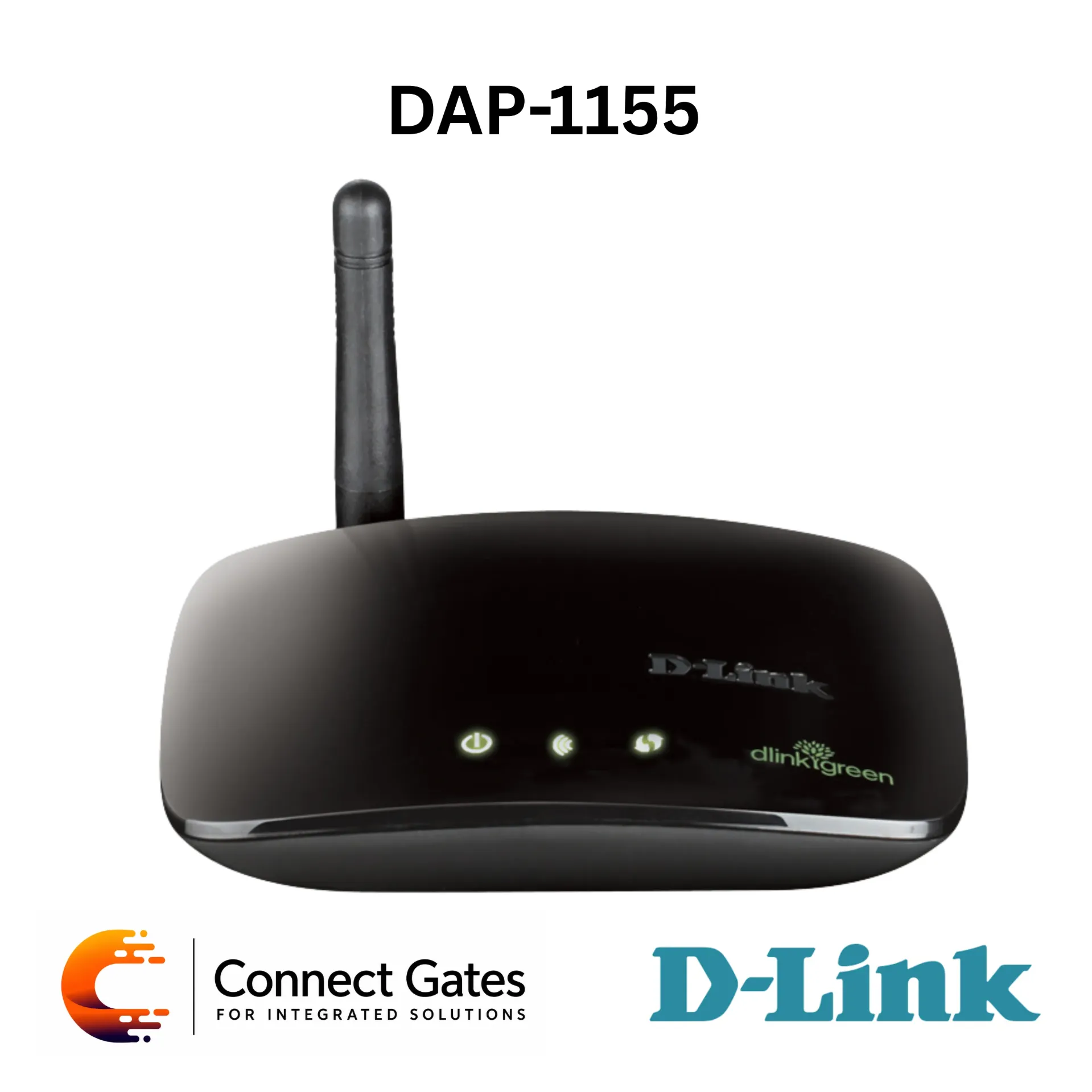
D-Link DAP-1155 – Wireless N150 Bridge / Access Point with AP Mode, Bridge Mode, 2× Fast Ethernet LAN Ports, WPS, WPA/WPA2 Security, WEP Encryption & External 2dBi Antenna
Overview:
• The D-Link DAP-1155 is a Wireless N150 Bridge / Access Point designed to create a wireless network or connect Ethernet-enabled devices to an existing wireless network.
• It is based on Wireless N technology, providing faster speeds and better coverage compared with previous-generation Wireless G networks.
• Access Point mode allows users to create wireless connectivity for home or office devices such as laptops, smartphones, tablets, and wireless adapters.
• Bridge mode allows Ethernet-enabled devices such as game consoles, media players, and entertainment devices to connect wirelessly to the network.
• The device includes two 10/100Mbps Fast Ethernet LAN ports for connecting Ethernet-enabled computers and devices.
• Security features include WPS push-button setup, WPA/WPA2 wireless security, and 64/128-bit WEP encryption.
Key Features:
• Wireless N150 Bridge / Access Point: Creates a wireless network or connects wired devices to an existing wireless network.
• Access Point Mode: Adds wireless connectivity to a wired network.
• Bridge Mode: Connects Ethernet-enabled devices wirelessly to the network.
• Wireless N Technology: Provides improved wireless speed and coverage compared with Wireless G.
• 2 Fast Ethernet LAN Ports: Includes two 10/100Mbps LAN ports for wired devices.
• External Antenna: 1 external dipole 2dBi antenna for wireless coverage.
• WPS Button: Enables quick and secure wireless setup.
• WPA/WPA2 Security: Helps protect wireless network access.
• WEP 64/128-bit Encryption: Supports legacy wireless encryption.
• Easy Installation: Suitable for adding or upgrading home wireless networks.
• Compact Desktop Design: Practical for home entertainment areas and small office networks.
Technical Specifications:
• Product Type: Wireless N150 Bridge / Access Point
• Model: DAP-1155
• Wireless Technology: Wireless N150
• Wireless Interface: 802.11g/b Wireless LAN with Some N Features
• LAN Interfaces: 2 × 10/100Mbps LAN Ports
• Operating Modes: Access Point Mode, Bridge Mode
• Wireless Frequency Range: 2400MHz to 2483.5MHz
• Maximum Output Power EIRP: 18dBm
• Antenna Type: 1 × External Dipole 2dBi Antenna
• Wireless Security: WEP 64/128-bit Data Encryption, WPA/WPA2, WPS PIN/PBC
• Device Management: Internet Explorer 7, Firefox 3.0 or Higher, or Other Java-Enabled Browser
• LED Indicators: Power, Wireless, WPS
• Ports / Buttons: 2 × 10/100BASE-TX Ethernet LAN Ports, WPS Button, Power Socket
• Minimum Requirements: Cable or DSL Modem with ISP Subscription, Windows XP SP3 / Vista / 7, Internet Explorer 7 or Firefox 3.0 or Higher
• Recommended Use: Wireless N150 Router DIR-501 for optimal wireless performance
• Package Contents: DAP-1155 Wireless N150 Bridge Access Point, CAT5 Ethernet Cable, Power Adapter, Quick Installation Guide, CD-ROM with Manual
• Dimensions: 81.8 × 102 × 26.5 mm
• Weight: 78.6g
• Certifications: FCC Class B, CE, IC, C-Tick, Wi-Fi Certified
• Release: 01 – December 2010
Applications:
• Creating a simple wireless network for home or small office use.
• Adding Wi-Fi connectivity to an existing wired network.
• Connecting Ethernet-enabled devices such as game consoles, media players, and entertainment devices wirelessly.
• Supporting online videos, music streaming, photo transfers, and general internet browsing.
• Upgrading older Wireless G environments to basic Wireless N150 performance.
• Suitable for simple home networking where dual-band, PoE, or business-grade access point features are not required.
Connect Gates Recommendation:
• Connect Gates recommends the D-Link DAP-1155 for customers who need a simple Wireless N150 access point or bridge for basic home networking.
• It is suitable when the customer wants to add Wi-Fi to a wired network or connect Ethernet-enabled devices wirelessly without installing extra cables.
• The two Fast Ethernet LAN ports make it useful for small entertainment setups or simple wired device connections.
• WPS, WPA/WPA2, and WEP support make setup and security simple for basic home use.
• This model is recommended for basic wireless connectivity and bridge applications, not for high-speed dual-band Wi-Fi, PoE ceiling installation, or high-density business wireless networks.
Documents